Portfolio Simulator
Analyzes fixed capital investment strategies and accumulation plans (PIC-PAC). View performance with and without periodic rebalancing. Choose from a huge selection of stocks, ETFs, bonds, crypto and more
The role of the portfolio simulator in portfolio management
Portfolio simulators are fundamental tools for analyzing and planning investment strategies in a safe and detailed way, without risking real money. They allow you to test different choices (fixed capital strategies or periodic accumulation plans) and to evaluate the impact of portfolio management decisions (for example, rebalancing allocations or not) in the long term. Thanks to these simulations, both private investors and industry professionals can better understand the behavior of a portfolio in various market scenarios and make more informed decisions.
The Simulator uses Tracker data for realistic backtests.
If you are looking for a free ETF portfolio simulator, start from this page and continue with:
Fixed capital strategies vs accumulation plans (PIC vs PAC)
One of the first strategic choices is how to invest capital over time. The Capital Investment Plan (PIC) invests a significant amount all at once (lump sum), while the Capital Accumulation Plan (PAC) spreads the investment over periodic contributions (for example monthly). A portfolio simulator allows you to model both options and compare their effects objectively.
Lump-sum investment plan (PIC)
Investing your entire capital immediately means full market exposure from day one. If markets rise right after entry, this strategy captures the upside from the start and can deliver higher long-term returns. However, it is also more exposed to timing risk: investing just before a significant decline can produce substantial early losses.
Portfolio simulators let you recreate historical or hypothetical scenarios where a PIC starts at different times (for example, at the beginning of a bear market versus a bull market) to evaluate potential outcomes. This helps you understand entry timing risk and prepare for short-term volatility.
Capital accumulation plan (PAC)
Investing gradually with periodic payments allows you to average purchase prices over time (dollar cost averaging). When market prices are high, fewer shares are purchased, when they are low, more are purchased. This strategy tends to reduce the impact of short-term volatility and the risk of investing everything just before a downturn.
A simulator can show how a PAC would work in various contexts, highlighting that over long horizons and growing markets the PIC can be more profitable, while the PAC often offers a more stable path. The choice depends on the availability of capital, the time horizon and the risk appetite.
Performance comparison with and without periodic rebalancing
In addition to the investment method (PIC vs PAC), another crucial factor in portfolio management is the management of asset allocation over time, in particular through portfolio rebalancing. Rebalancing consists of periodically bringing the allocation percentages of the various asset classes back to the planned levels, partially selling overweight assets and purchasing underweight ones. Learn more on the Rebalancing page.
Performance without rebalancing
If a portfolio is never rebalanced, the initial composition will change based on market movements. Typically, the asset with the highest return will tend to weigh more and more as time goes by. This may lead to a slightly higher overall return in the long term, but the risk increases: the portfolio becomes more volatile and unbalanced compared to the initial profile.
Performance with periodic rebalancing
Rebalancing at regular intervals or when certain thresholds are exceeded keeps the risk profile constant over time. Simulations often show that the average return difference between a rebalanced and a non-rebalanced portfolio is small, while the risk benefit is significant: lower volatility and shallower losses in bad times. The simulator also helps evaluate the impact of costs and taxation on rebalancing strategies.
Practical example: Global equity PAC vs 60/40 balanced portfolio
To make this concrete, consider a comparison between two monthly accumulation strategies:
- Strategy A - 100% Global Equities: Monthly PAC on a global equity ETF.
- Strategy B - 60/40 Rebalanced Portfolio: Monthly PAC split between global equities (60%) and global bonds (40%) with regular rebalancing.
For the same payments, the equity strategy tends to generate a higher final capital, but with greater volatility and drawdown. The balanced portfolio offers more regular growth, with smaller fluctuations. The simulator allows you to test variants such as 80/20, 70/30 or 20-30 year horizons, highlighting how the risk/return profile changes.
Practical benefits for retail and professional investors
An advanced portfolio simulator is a virtual laboratory for testing and refining investment strategies. Key benefits include:
- Financial education and understanding of risk: concretely see the effect of volatility, drawdown, diversification and compound interest.
- Strategy planning and definition: project the portfolio over time and verify the probability of achieving financial objectives.
- Portfolio optimization: compare different allocations and rebalancing strategies before applying them in reality.
- More informed decisions: reduce emotions and make decisions based on data, scenarios and probabilities.
Backtest simulator on Wallible
The simulator allows you to test strategies before actually using them: you set cash flows, purchase frequencies and allocations, and Wallible calculates the simulated path (NAV, returns, risk, diversification, etc.). To discover all the available metrics, consult the Wallible Metrics Guide .
After running a simulation, you can consult all the results in the dedicated sections of the site:
- Summary and detail of positions: Summary and detail of positions
- Realized returns: Realized returns
- Risk: Risk and drawdown
- Expected performance: Expected performance
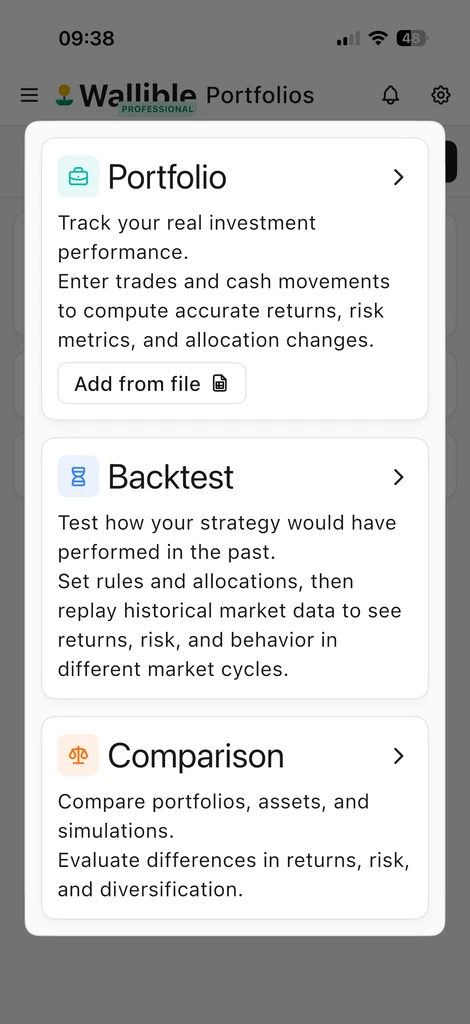
1) Create the simulation
- From “Add” choose Simulation.
- Enter name and description, reference currency and, if necessary, the rebalancing frequency (default: no rebalancing; weekly/monthly/quarterly options etc.).
2) Define investments
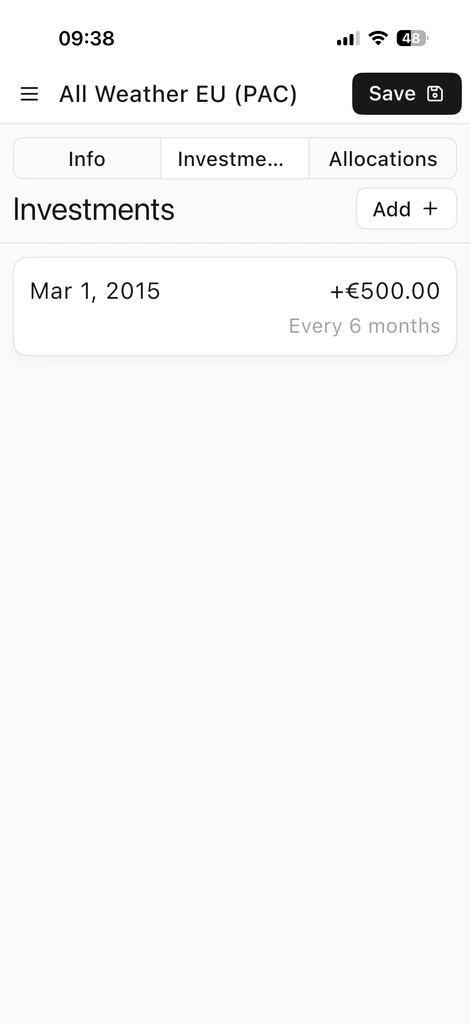
- Single payment: select “Initial investment”, indicate the amount and leave the frequency blank.
- Recurring plans: indicate amount and frequency (e.g. every week/month/quarter).
- You can combine initial and recurring payments: Wallible calculates the flows according to the set strategy.
3) Set asset allocation
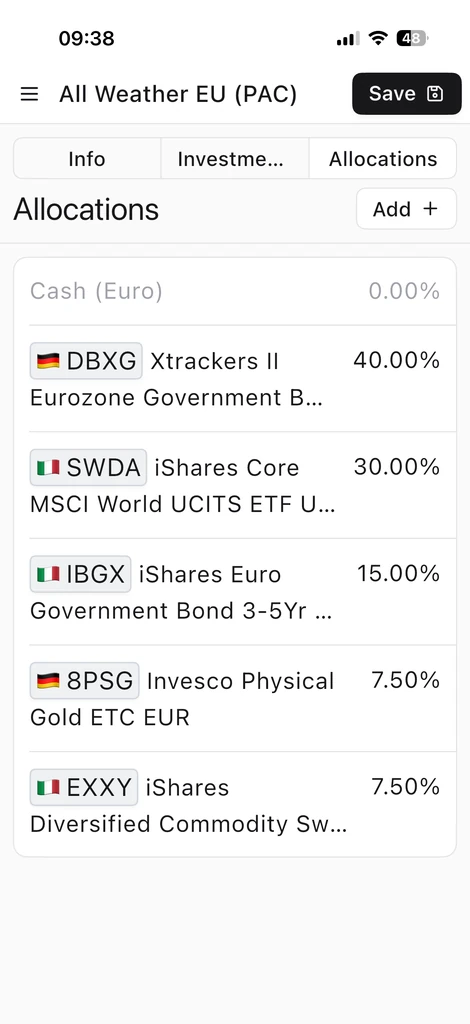
- Add instruments from 300,000+ stocks, ETFs, funds, bonds, crypto etc.
- If the allocations add up to <100%, the remainder remains in cash at 0% gross return.
- If they exceed 100%, the excess is treated as implicit leverage (negative cash): use it only if you want to model exposures >100%; otherwise bring total weights back to 100%.