
Portfolio liquidity management
When to use Account Operations and how they affect NAV and cash.
Because liquidity matters
A properly tracked cash balance makes NAV realistic and returns reliable. If you neglect deposits/withdrawals, your portfolio risks showing distorted performance compared to your actual situation.
When to use Account Operations
- Do you want the real cash balance? Record each deposit/withdrawal in “Account Operations”: NAV and returns will only use this cash register.
- Don’t need to track the checkout? Do not enter Account Transactions (either from file or manually): Wallible will use the trades to derive the necessary flows.
Key rule
- If you use Account Operations orders must use recorded available liquidity (deposits = positive balance, withdrawals = negative balance).
- If you do not use Account Operations the cash balance is virtual and adapts to orders; No deposits/withdrawals are required.
How to register cash (Deposits/Withdrawals)
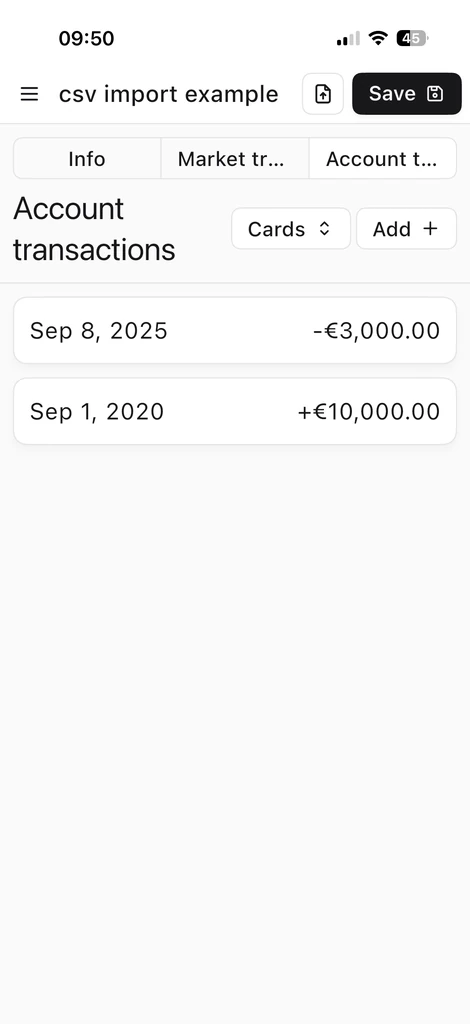
- Portfolio “Account Operations” tab.
- Add movement: date/time, type (Deposit/Withdrawal), amount, currency (default that of the portfolio).
- Save: deposit increases cash, withdrawal reduces it.
Visual example
Loading insights
- To load flows from files, see Load transactions and account operations from csv files .
- To enter flows manually, see Load Transactions and Account Operations Manually .
New to Wallible? Register for free to start tracking your cash flows immediately and see the real NAV of your portfolio.
Sign up for free